
What can a PowerPoint designer help you with?
Somewhere between “I’ll just throw it together in PowerPoint tonight” and “we need to hire someone,” there’s a moment where every founder, marketer or comms lead asks: do I actually need a PowerPoint designer for this? Here’s how to answer that honestly.
A PowerPoint designer is someone who builds and refines presentation slides professionally — not just picking a nicer font, but thinking through layout, visual hierarchy, data storytelling and brand consistency across every slide. Some work freelance, some sit inside agencies, and some specialise almost entirely in PowerPoint (as opposed to Keynote or Google Slides, though most are fluent in all three).
The job is part designer, part editor. A good PowerPoint designer will often cut half your bullet points, not just format them nicely.
DIY vs. hiring: when templates aren’t enough
Canva templates and PowerPoint’s built-in Designer feature have genuinely raised the DIY bar — for a simple internal update or a low-stakes team meeting, they’re often enough. But templates start to strain the moment your content doesn’t fit neatly into their boxes: dense data, a long narrative arc, or a deck that needs to look consistent across 40+ slides built by different people over months.
That’s usually the point where “I’ll just do it myself” starts costing more time than it saves — hours spent nudging text boxes instead of doing the job you’re actually paid for.
The overlooked value-add of a professional PowerPoint designer
A lot of the real value happens before anyone touches a colour palette:
Structuring content and narrative
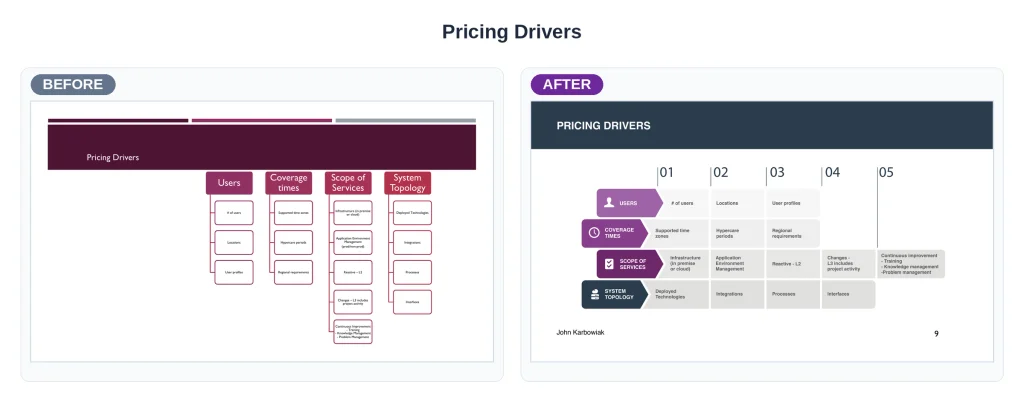
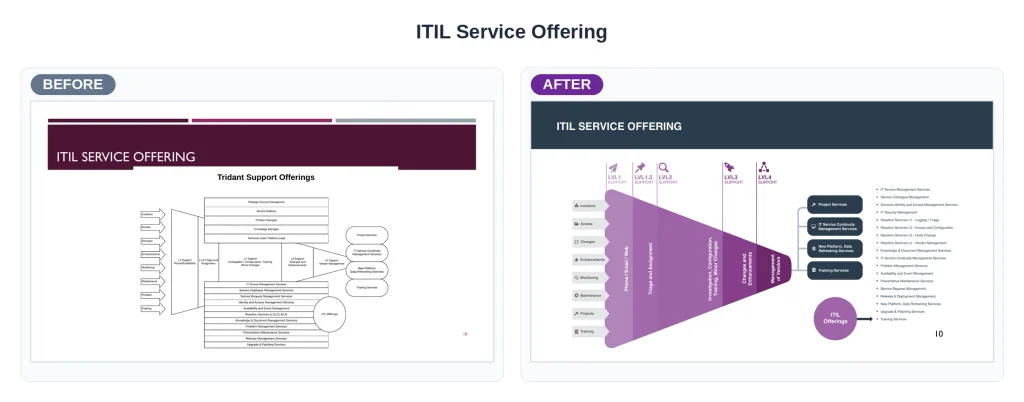
Working out what actually needs to be said, and cutting what doesn’t. Turning paragraphs into visuals: charts, diagrams, icons, timelines
Decluttering
Adding negative space – a PowerPoint designer knows how to declutter slides or spread things out for maximum impact
Applying correct design principles
Paying attention to line, shape, hierarchy, grid, contrast, balance, unity, etc. to make sure the pages are composed nicely and easy to understand
Building a system
Not just slides – a designer will create a template your team can keep using long after the designer’s gone
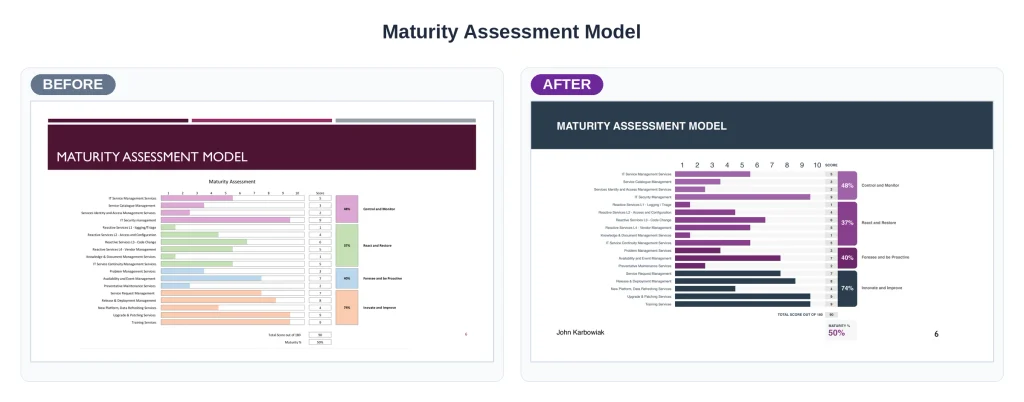
Data visualisation
Making numbers and comparisons genuinely easy to read at a glance – using callout boxes and other contrasting elements to draw attention to important data
Brand consistency
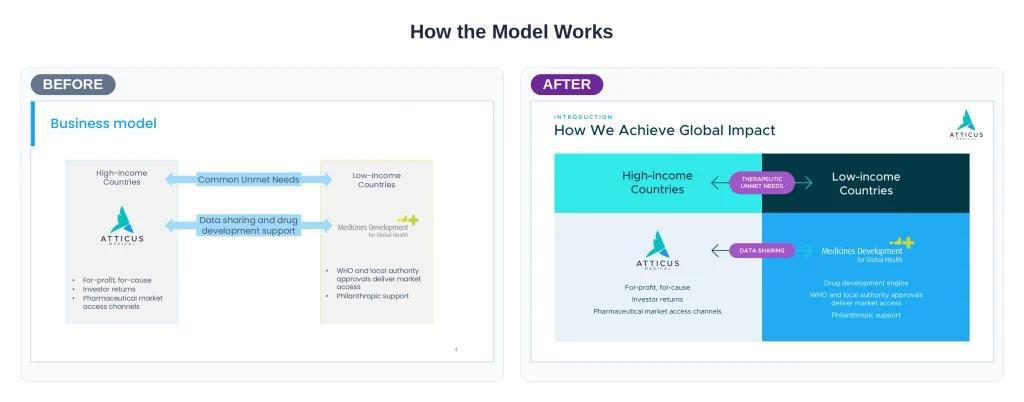
Correct use of brand fonts, colours and layout that actually match everything else published by your company. This is even important for internal documents.
Consider Guy Kawasaki’s 10/20/30 rule — 10 slides, 20 minutes, 30-point font. This is still one of the simplest tests of whether a deck has been designed with the audience in mind, rather than the presenter’s comfort.
Signs it’s time to hire a PowerPoint designer
The deck is going in front of investors, a board, or a big client. The stakes justify getting it right
You’ve got great content but every slide still looks like a Word document pasted into PowerPoint
Multiple people are contributing slides and nothing looks consistent
You’re spending hours formatting instead of preparing what you’ll actually say
The data in your deck is dense, and you know it’s not landing visually
If even one of these sounds familiar, it’s probably time to bring in someone whose whole job is presentation design.
How much does a PowerPoint designer cost?
Pricing varies a lot depending on whether you’re hiring a freelancer, a template marketplace service, or a full presentation design agency. It also depends and on deck length and complexity.
As a rough guide, expect anywhere from a few hundred dollars for a couple of polished slides up to several thousand for a full custom deck with data visualisation, animation and a reusable template built in. Agencies typically quote per-project once they know your slide count. Costs also depend a bit on how much of the content still needs to be written versus just designed.
Why ethical, purpose-driven brands need thoughtful, professional deck design
If you’re a non-profit, social enterprise or values-led business, your deck is often doing double duty. It’s not just informing people, but building trust in your mission. A rushed, inconsistent deck can quietly undercut a genuinely strong pitch or report. Good design isn’t vanity here; it’s part of communicating credibility.
If you’ve read this far wondering whether you need a PowerPoint designer, the honest answer is probably yes. Take a look at what our presentation design services actually include, or get in touch and we’ll tell you straight whether your deck needs a light polish or a full rebuild.
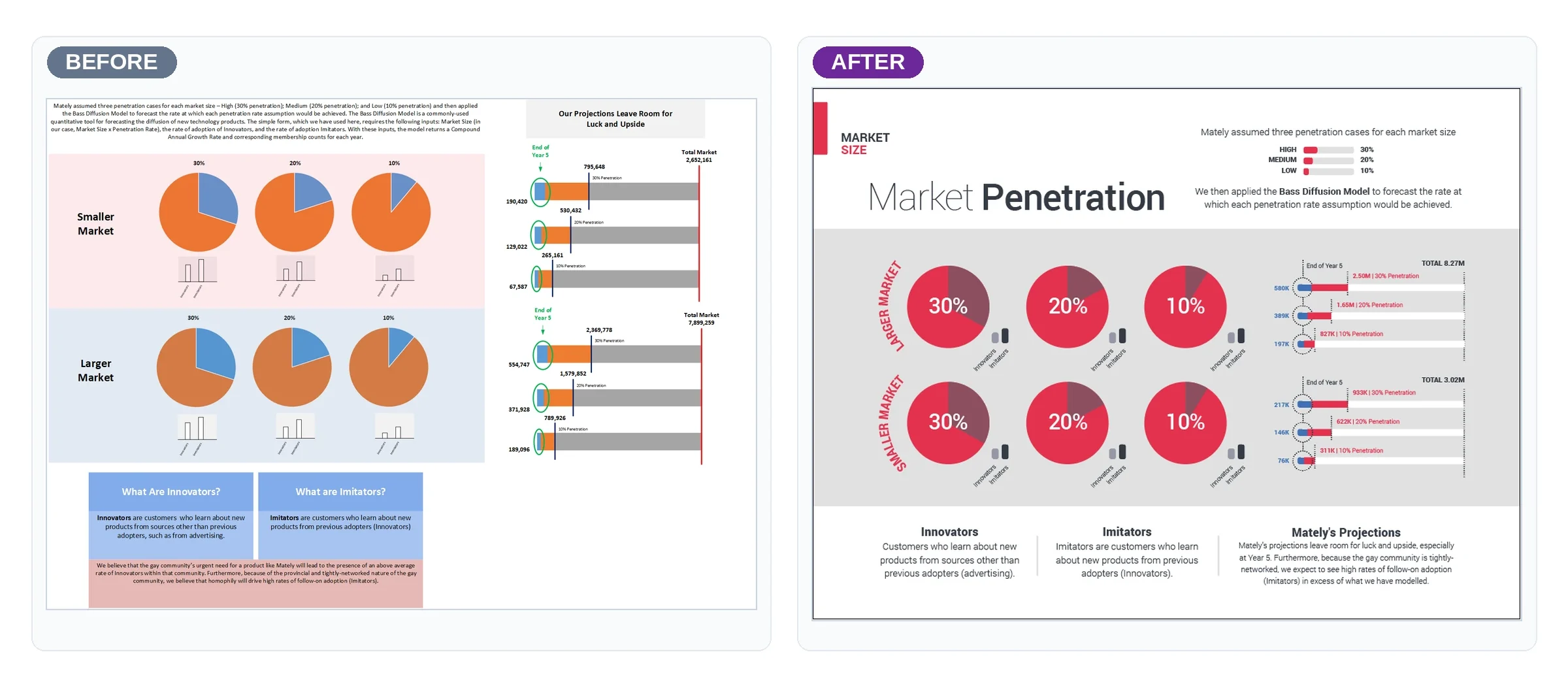
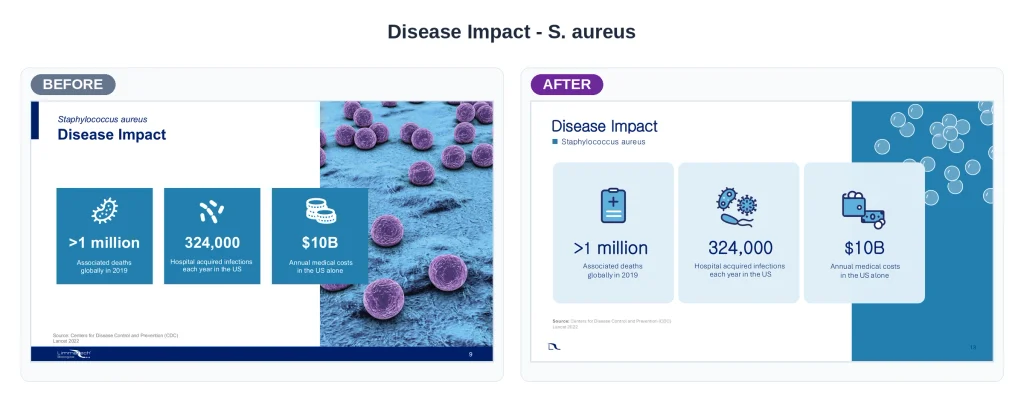
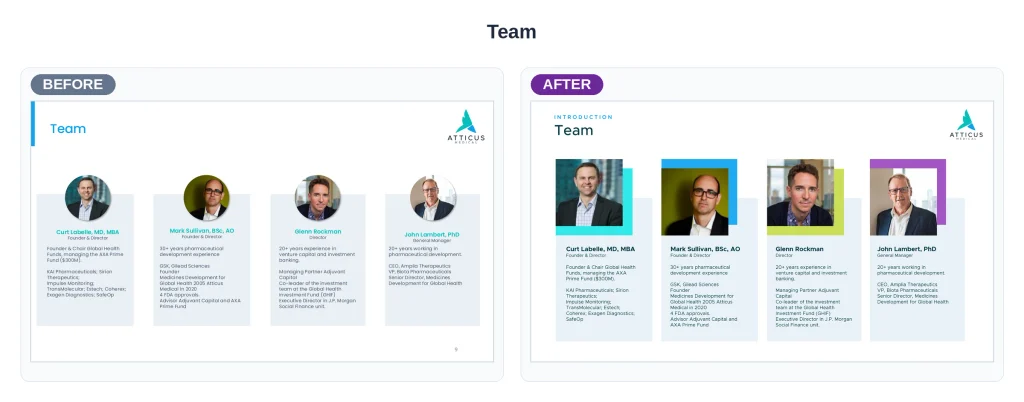
Before and after examples from past projects





Frequently asked questions
Most professional PowerPoint designers are comfortable across all three, though PowerPoint remains the most common format for business decks because of how widely it’s shared and edited internally. If your team works in a specific tool, mention it upfront so the final files are built natively in the right format.
Two rounds of revisions is a common standard — enough to fix structural issues in the first pass and polish details in the second. Decks with more stakeholders (a board, multiple department heads) sometimes need an extra round, which is worth flagging before the project starts.
Two rounds of revisions is a common standard — enough to fix structural issues in the first pass and polish details in the second. Decks with more stakeholders (a board, multiple department heads) sometimes need an extra round, which is worth flagging before the project starts.
Not necessarily. Some designers will only format content you provide; others, particularly presentation design agencies, will help edit and restructure the narrative itself. It’s worth clarifying which service you’re actually buying before you brief anyone — our presentation design services cover both.
Yes, and it’s worth mentioning upfront if delivery matters to you. A good PowerPoint designer will build slides that support you as the presenter — using Guy Kawasaki’s 30-point font guidance, for instance, so text stays readable from the back of a room rather than crammed in to cover every detail you plan to say out loud.
Sources
